Chapter 3: Debugging: Finding Bugs with AI in Deep Waters
Today's AI programming is programming in uncertainty, in chaos, in confusion.
"Today's AI programming is programming in uncertainty, in chaos, in confusion."
Extended reading: How debug workflows embed into overall engineering loops, see Test/Code Loop: Why Test Code Is More Important Than Functional Code and AI-Native Workflows: Plan/Act, Test/Code, Doc/Code/Doc.
This chapter uses a real case of a poker game animation queue to demonstrate how AI-native teams collaborate with AI in "deep waters" and where humans must step in personally.
1. Case: the deep bug of missing poker showdown animation
The bug's symptom was: if a hand reached the final street (river), specifically:
- If it was a hand where the user acted first, and on the final street the user checked, then the opponent checked back
- At this point, a showdown settlement animation should appear, but the showdown settlement animation wouldn't appear
- This problem only appeared in this specific hand scenario
After investigation, this hand needed to be user-first, and reach the final street. At the same time, the user-first player chose check, then the opponent chose check. At this point, what should be expected is: after these two check animations finish playing, the showdown settlement animation should play next, but the showdown settlement animation wouldn't be played.
Finally, we found the frontend wasn't wrong. The problem was: the data passed from the backend was missing the showdown settlement information, so the frontend had no animation to play.
This chain was very deep, because the codebase itself was already quite large. This directly brought us to a question: In the process of using AI to write code, how do we control software engineering quality? This is actually a core problem of AI programming.
2. Step one: don't rush to change code, let AI build context first
If I were a new reader of the codebase, how would I solve it?
First, I wouldn't immediately throw the issue to AI, but first let AI build its own context:
- I know the problem is related to animation queues
- I'll have some AI (like Codex, find a faster model) help me find: what documents and code are related to animation queues
- This step, on one hand, I can't find everything myself, and on the other hand, it lets AI first build a complete context for "everything related to animation queues"
If you immediately tell it the issue, it might focus too much on the issue itself and miss some key logic and modules.
The pattern of "build context first, then act" here is consistent with the discussion about session relay in AI Statelessness and Context Window.
3. Step two: precisely describe the problem, not just "there's a bug"
After AI has some understanding of the context, that's the time to describe the problem phenomenon. For example:
"In a specific scenario, where the hero is out of position (OOP), and we play through the game till the river street. The hero checks. And the villain checks back. We should see a showdown animation. Right now, we are only seeing the hero check and the villain check, but not the showdown. Please find out why."
The key point here is:
Describe the problem as much as possible using phenomena and scenarios, rather than immediately jumping to conclusions.
4. Step three: add debug logs first, don't let AI change code immediately
For Codex or other AI, it has a natural tendency:
As soon as it hears "there's a bug," it immediately wants to change code.
Often, we don't want it to change code immediately, so we need to give it a constraint in advance:
"Don't make changes yet."
In our example, we already know the animation queue design. In the river street, there should be three animations:
I check, then the opponent checks, then there's a showdown animation. But we're only seeing the first two.
So, the correct way to ask AI at this point isn't "help me fix it," but:
- Tell it the expected animation queue
- Have it add debug logs at key positions for you
- Then use these logs to reverse-engineer where the problem is
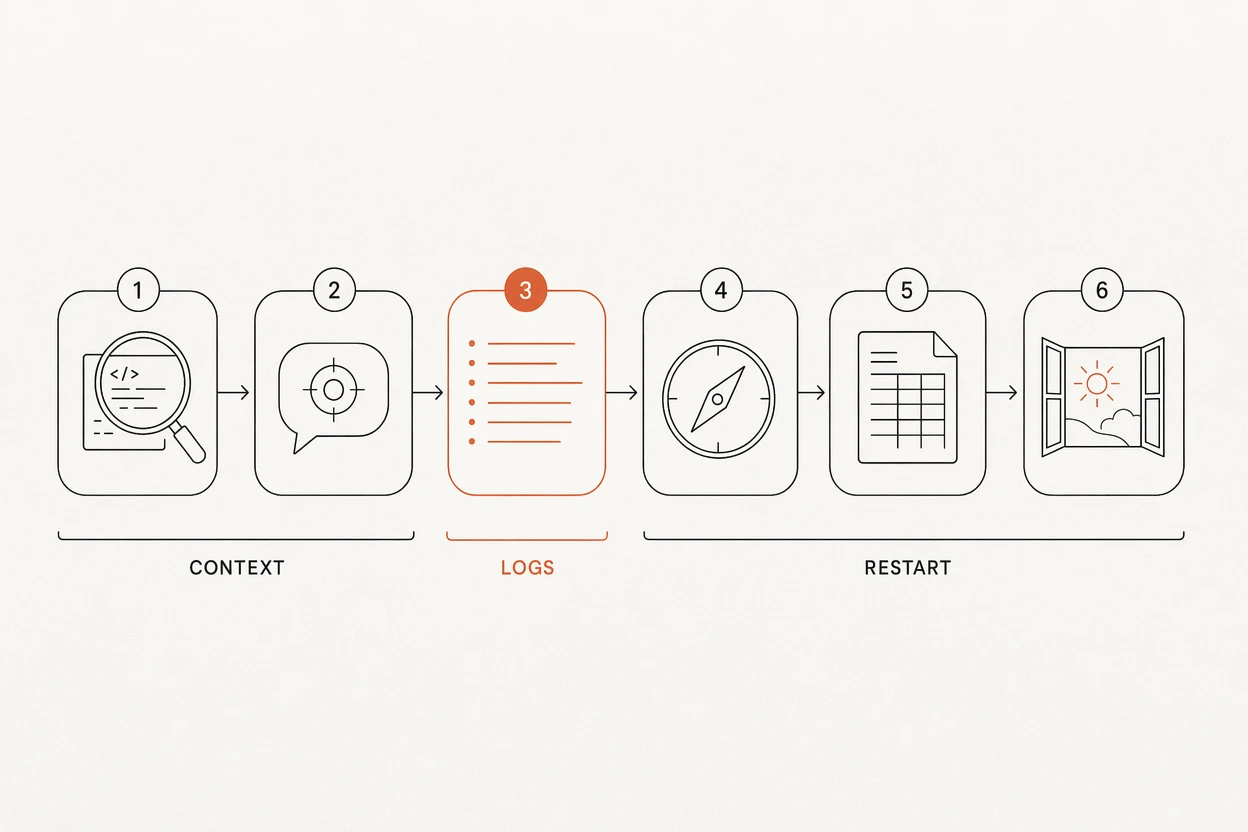
5. Step four: use debug logs to correct AI's thinking
Why add debug logs?
- Because AI's understanding of code isn't necessarily correct
- The debug conclusions it gives are often wrong, and it will "get stuck in its own explanation"
If you directly let it change based on its understanding, it will likely drift further and further. But if:
- First have it add debug logs at key paths
- Then you dump the real logs to it
- Then have it re-analyze based on the logs
Its thinking process will often be corrected a lot.
If you find that you've already pasted debug logs, and it still can't think correctly, then you need to think back: is your description of the problem phenomenon itself not clear enough, or even wrong?
Often, the essential reason debug doesn't succeed is that the problem space itself wasn't described clearly. When you can't describe it clearly, or even can't describe the problem space, AI can't help much.
6. Step five: when AI enters deep waters, "account" first, then switch
In the animation queue bug, we saw a typical deep-water scenario:
- AI had already tried twice and still didn't fix it correctly
- Continuing to let it fix will only make it run further down the wrong path
At this point, you can't let AI fix it by itself anymore.
There are roughly two possibilities:
- Our description of the problem is wrong
- The problem itself is indeed more complex, beyond its current capabilities
The approach at this point is:
- Have AI write "the research process so far, guessed causes, and interim conclusions" into a document
- Don't worry about whether this document will be discarded later; first clearly "account" the research process
After we actually solve the problem, delete these procedural pieces of information, and finally only keep the conclusive document.
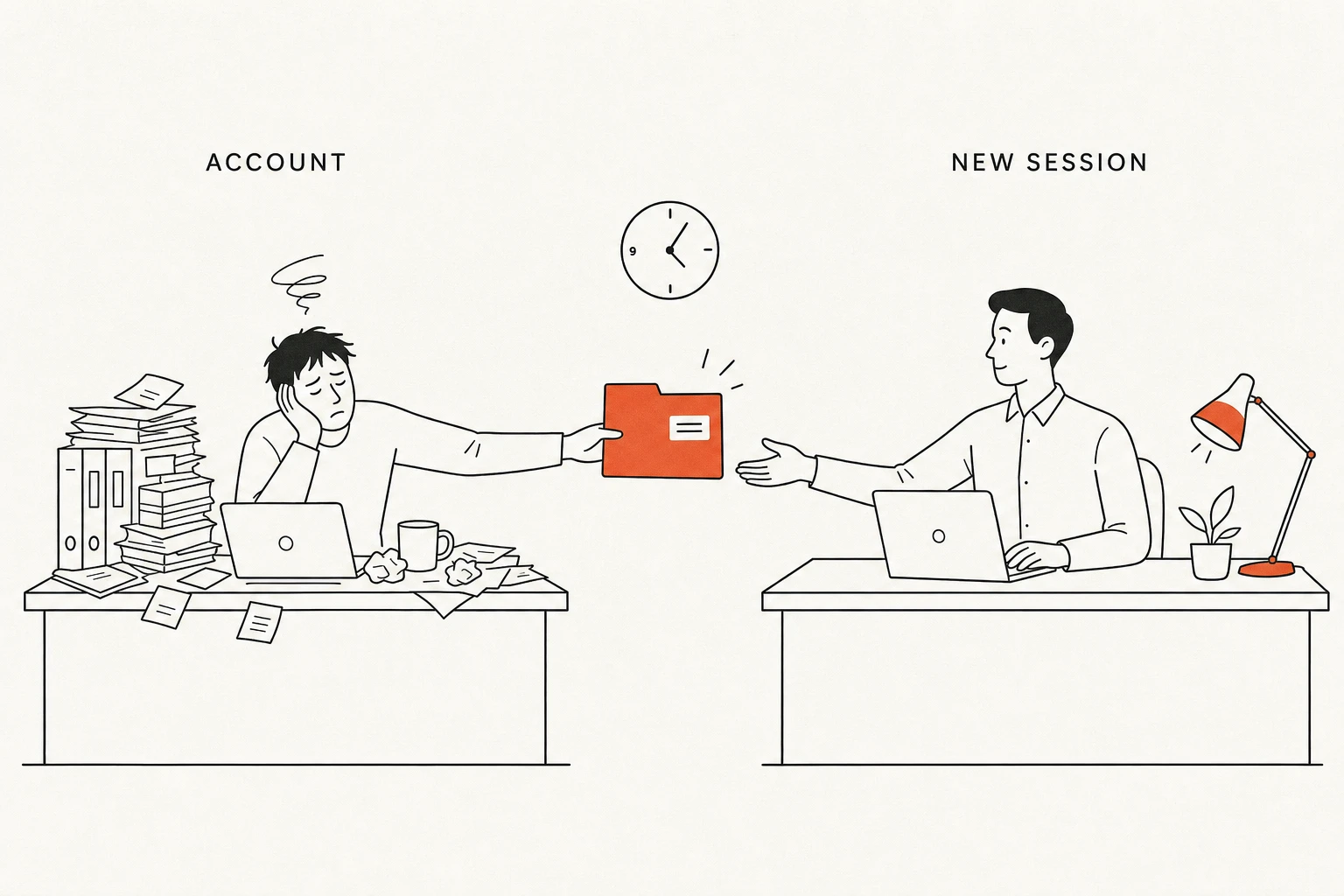
7. Step six: start a new, stronger session, continue from the document
Next, you should start a new session:
- Turn the model capability to the strongest
- Have it carefully read the "research document" from just now
- Don't immediately have it change code, but have it add another round of more precise debug logs at key places
- At the same time, humans also need to start understanding this code themselves
At this stage, it's actually very close to "traditional manual debugging":
On one hand, try to let AI continue writing; on the other hand, humans also need to start reading.
This is a typical example of AI entering deep waters. You only encounter it in particularly complex modules, but once you do, you must accept:
Humans need to step in and read code.
8. Debug workflow summary
Summary:
- After getting the problem, first clearly describe the requirement/phenomenon, throw it to AI
- Let AI solve it by itself, observe its process, immediately verify results after one round
- If not solved, do a second round, while paying attention to context usage percentage, sensing where its thinking logic has gone
- If still not solved, have it summarize the thinking process into a document, as input for deeper searching
- If still not solved after multiple rounds, then use the bug logs generated in these rounds, humans read code themselves, manually modify
- After manual processing, look back at why AI couldn't solve it, record the experience or this issue's conclusion in documentation (only keep conclusions, not process)
This way, when you encounter similar problems next time:
- You know how to optimize descriptions to make problem descriptions clearer
- You also know AI's capabilities and limitations, which links need to be reserved for humans in advance
This summary is mutually confirmed with the standard process for medium-to-high complexity requirements in AI-Native Workflows: Plan/Act, Test/Code, Doc/Code/Doc.
9. Key principle: even if AI fixes it correctly, don't accept "accidental fixes"
In the entire debug flow, there are several key principles:
- Although humans don't need to write code, you must know which part AI is changing
- Based on your familiarity with the codebase, judge whether it's changing "the right place for it to change"
- If it changed unrelated things, even if the final result "looks correct," you must stop it from doing this
Cannot accept results of "accidentally fixing it correctly."
For some deeply rooted bugs, if they were finally solved manually, then:
- Procedural content can be discarded
- But you can leave a conclusive document explaining what this flow actually is
- Have AI write a detailed flow explanation and put it in the document
- But this passage must be "conclusive," not with procedural information
The purpose is:
To make future selves and future AI more easily understand this flow.
Get new articles by email
One email when a new article lands. Nothing else.